
smallcaps元素自始可用
Displays text in small capitals.
Example
Hello \
#smallcaps[Hello]
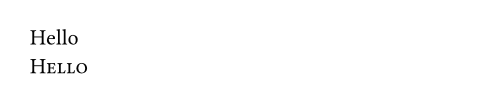
Smallcaps fonts
By default, this uses the smcp and c2sc OpenType features on the font. Not all fonts support these features. Sometimes, smallcaps are part of a dedicated font. This is, for example, the case for the Latin Modern family of fonts. In those cases, you can use a show-set rule to customize the appearance of the text in smallcaps:
#show smallcaps: set text(font: "Latin Modern Roman Caps")In the future, this function will support synthesizing smallcaps from normal letters, but this is not yet implemented.
Smallcaps headings
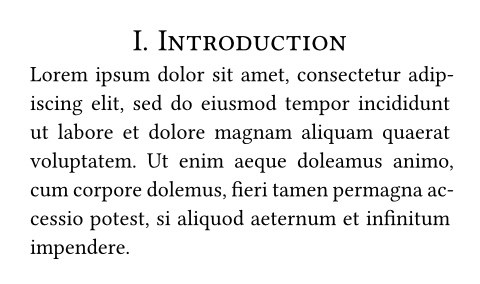
You can use a show rule to apply smallcaps formatting to all your headings. In the example below, we also center-align our headings and disable the standard bold font.
#set par(justify: true)
#set heading(numbering: "I.")
#show heading: smallcaps
#show heading: set align(center)
#show heading: set text(
weight: "regular"
)
= Introduction
#lorem(40)
参数
all默认值:false
Whether to turn uppercase letters into small capitals as well.
Unless overridden by a show rule, this enables the c2sc OpenType feature.
 展开示例
展开示例
#smallcaps(all: true)[UNICEF] is an
agency of #smallcaps(all: true)[UN].

body
The content to display in small capitals.